
IMAGE STUDIO / 2.6
GPT Image 2.6 Image Generator
Make the first image. Refine it with references. Take it out as a still, an animated GIF, or an editable SVG.
Flare, Sunburst and Economy in one studio.
Prompt and settings
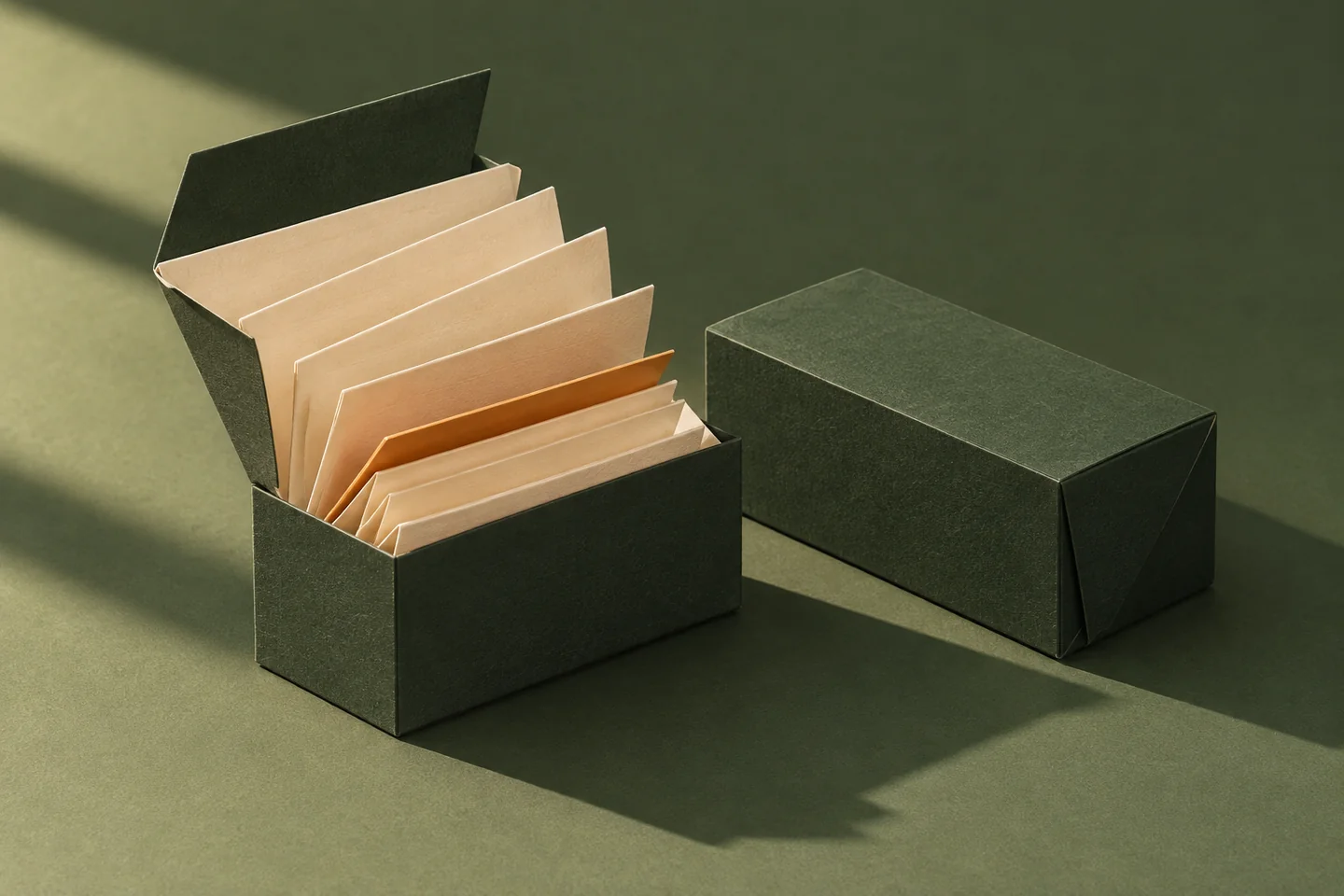
Editorial studio photograph of a folded-paper packaging prototype. A sculptural, low rectangular forest-green carton is open, its cream inner paper sharply folded into a stepped fan and showing one slim amber insert; a closed dark-green sibling carton rests nearby. Shoot from a slightly elevated three-quarter angle on a solid, muted green tabletop with a matching seamless background. Real matte paper fibers, precisely scored edges, hard late-afternoon light entering from upper left, graceful long shadows and warm highlights. Arrange both objects as one compact, centered group with a little negative space on all sides, legible at thumbnail size. Tactile, restrained, sophisticated independent design magazine art direction. No printing, text, logos, people, watermark or props. Landscape 3:2.
- Economy still images
- 4 credits / image
- Flare and Sunburst stills
- Up to 4K
- Image editing
- Up to 16 references
- Creative delivery
- Stills · GIF · SVG
WORKBENCH / 2.6
Create with GPT Image 2.6
Generate from text or edit with a reference. Review the credit estimate, then find your result and recent work right here.
Loading...
Creative workspace
Image Generator

We reserve these credits upfront and return any unused credits after generation.
Buy CreditsCurrent creation
Your next creation starts here
Your generated image or video will appear here.
Recent Tasks
Creative archive
Your work, prompts and settings. Keep creating.
Loading...
THE OUTPUT FILES
One model, different deliverables.
These were generated with GPT Image 2.6. Open a prompt to see the exact brief, then bring the same settings into the studio.
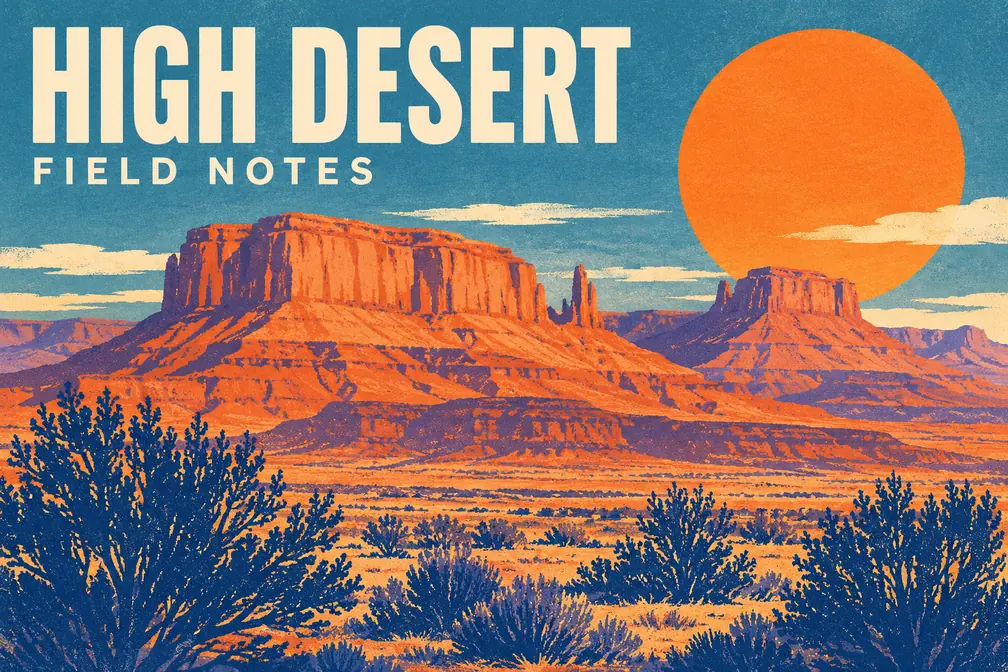
Editorial typography
High Desert Field Notes
Economy · 1K · 3:2
Prompt and settings
Landscape screenprinted travel poster about the high desert. A broad flat persimmon sun, terracotta sandstone mesas in the middle distance, dusty lavender shadows, and a foreground of dark cobalt brush silhouettes. Bold block-print shapes and lightly visible dry paper grain, contemporary field-guide design, striking warm/cool color contrast. Across the upper left, set the exact headline “HIGH DESERT” in large cream condensed sans serif, with the exact small line “FIELD NOTES” below it. No other lettering, no watermark, no frame, no borders. Print artwork fills the 3:2 canvas.

Editable vector
The seed emblem
Flare · 1K · 1:1 · Low · SVG
Download sample SVG
Prompt and settings
Design a bold geometric vector emblem of a seed just beginning to sprout, with two simple overlapping pointed leaves, a small amber sun disk, and one curved green stem inside an open circular silhouette. Center it on a solid warm ivory square, occupying around sixty percent of the canvas. Use solid flat fills only in deep forest green, sage, and ochre. Clean easy-to-edit paths, strong silhouette, rounded geometric construction, no shadows, gradients, fine texture, text, frames or watermark. Create a crisp finished identity sample, with clearly separated shapes.

Animated GIF
A seed unfolds
Flare · 512 × 512 · 9 frames · 200 ms/frame
Download sample GIF
Prompt and settings
A flat geometric animation on a solid warm ivory square. A small amber seed sits at center below a short forest-green stem. Two sage leaves unfold into a clean, open sprout, hold briefly, and fold back to the opening silhouette. Keep the seed, camera and background fixed. Use only ivory, amber, forest green and sage, with smooth shapes and consistent spacing. Make the first and final poses match for a seamless loop. No text, shadows, border or watermark.
IN THE STUDIO
From first image to final file.
Generate from a brief
Describe the subject, framing, light and materials. Set the aspect ratio and choose an output size up to 4K with Flare or Sunburst.
Start with textEdit with references
Bring up to 16 reference images. Say which elements to retain and which to change. Add a mask or markup guide with Flare or Sunburst to direct a local edit.
Open image editingMake the asset you need
Choose a still, a GIF with timed frames, or an editable SVG. Generate at 1K with a compatible format when your design needs transparency.
Try vector output
CALLIRRA CREDITS
Know the quote before you create.
Use Economy for a fixed price on 1K images. Flare and Sunburst show an estimate before you generate, then return any unused reserved credits after settlement.
See image credit costsMODEL NOTES
GPT Image 2.6 FAQ
What is GPT Image 2.6 on Callirra?
GPT Image 2.6 is an AI image generator and editor available in the Callirra image studio. Choose Flare, Sunburst, or Economy, then create from a text prompt or edit an image using references.
How much does a GPT Image 2.6 image cost?
Economy is 4 Callirra credits per 1K image. Flare and Sunburst show an estimate before generation and settle on actual usage up to that amount. Unused reserved credits are returned. Resolution, quality, references, and export format can affect the estimate.
Can GPT Image 2.6 create 4K images?
Yes. Flare and Sunburst support 1K, 2K, and 4K still images with independent quality controls. Pixel dimensions depend on the selected aspect ratio. Economy uses the 1K tier.
Can I edit a photo with GPT Image 2.6?
Yes. Switch to image-to-image and upload or choose up to 16 reference images. Describe what to keep and what to change. Flare and Sunburst also let you supply a mask or a markup guide for a more focused edit.
Can GPT Image 2.6 make SVGs and GIFs?
Flare and Sunburst can generate SVG and GIF from text. SVG gives you a downloadable vector and an image preview. GIF controls include frame size, count and timing on those variants. Economy also supports text-to-GIF with preset frame counts.
Does GPT Image 2.6 support transparent backgrounds?
Yes. Choose Transparent at 1K with a compatible output format, such as PNG. For an asset that goes over other layers, specify that you want the subject isolated in the prompt.
Can I use GPT Image 2.6 through an API?
Yes. Use the Callirra image generation endpoint with model gpt-image-2-6 and image_variant set to flare, sunburst, or economy. The developer API uses the same credit rules as the studio.
CALLIRRA / IMAGE STUDIO