Each set is a complete prompt. Copy it, or open it in the studio with the model, aspect ratio and resolution it was written for.
Church Window Daylight
The classic setting: soft window light, a white gown and stone walls.
Nano Banana 2image → image2:3 · 2K
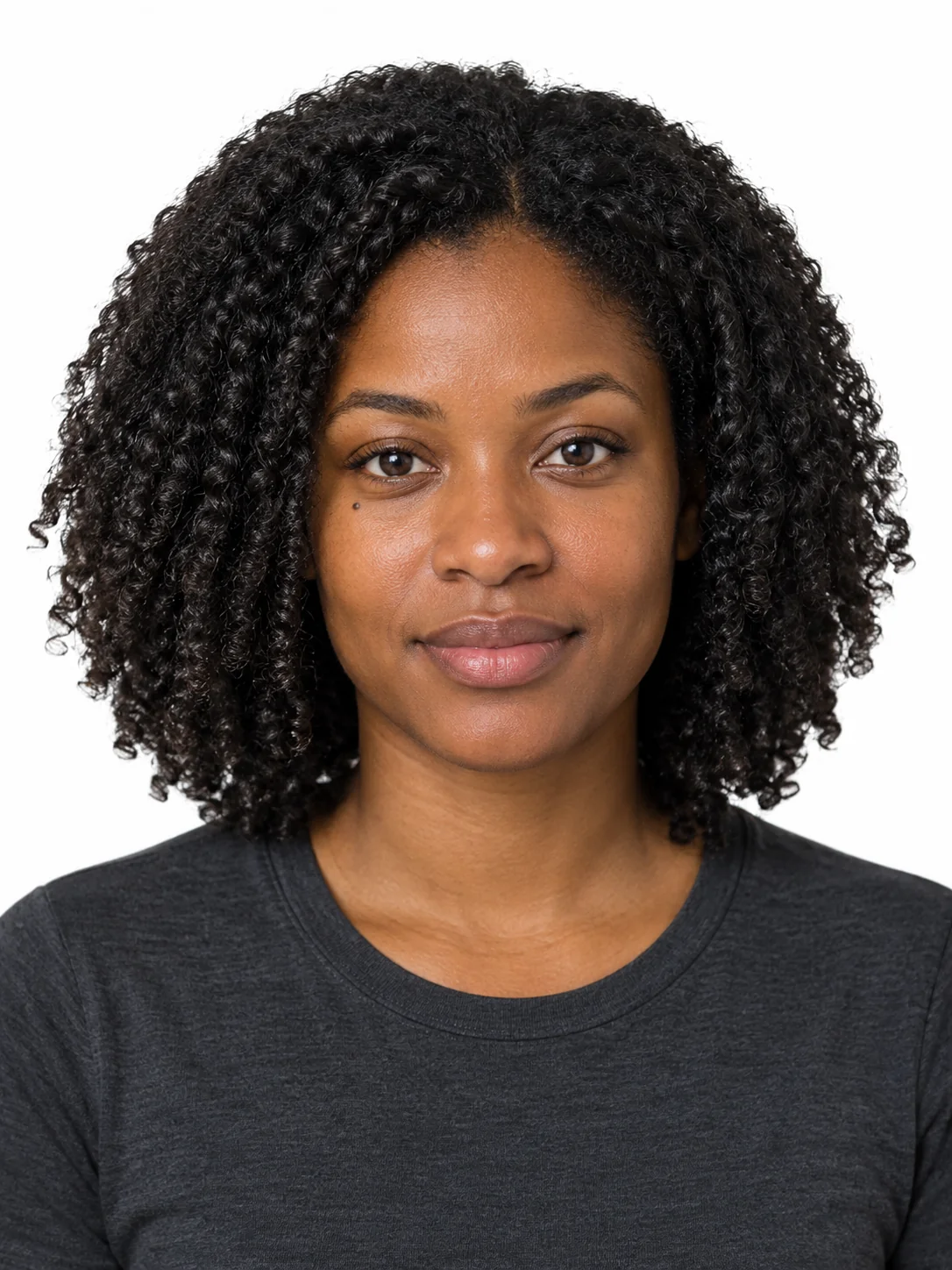
Reference photos: Two portraits, one frontal half-body shot of each partner. The prompt assigns the roles to the first and the second image.
Create a bridal portrait of a couple using the first reference image for the bride and the second reference image for the groom, keeping both identities separate and unchanged: the bride's face, eye shape and face proportions exactly as in the first reference; the groom's face and proportions exactly as in the second. Wardrobe: the bride wears an ivory satin gown with a simple v neckline, a thin silk sash and a fingertip veil; the groom wears a dark navy suit with a plain white shirt and a narrow tie, no boutonniere. Pose: standing side by side in front of a tall leaded window, the bride turned three quarters toward the groom, the groom's hand resting lightly at her waist, both looking at the camera, both sharing the same horizon line and the same head height in the frame. Setting: a stone church interior, one wooden pew out of focus in the foreground, a stone floor with soft reflected light. Lighting: large soft daylight from the window on the left, gentle fill from the stone wall on the right, soft shadow under the chin, no flash, no hard specular highlights. Palette: ivory, warm stone, deep navy, muted green from the window glass. Camera: 85mm at chest height, shallow depth of field with both faces sharp, fine natural grain, no HDR, no text.
Negative prompt
merged faces, swapped genders, extra people, distorted hands, heavy lace, blown highlights, cluttered background, HDR, watermarks
Reference only — the image models available here do not take a separate negative prompt, so this list is guidance for editing the prompt above.
Why this works: The classic setting. If the two people look like scaled copies of one person, widen the difference in hairstyle and height first, then add the horizon line sentence.
Golden Hour Field
A field or a beach, with a backlit rim and warm colour.
Nano Banana Proimage → image3:2 · 2K
Reference photos: Two portraits. The golden hour setting is demanding about the light on the faces, so the reference images should have no strong shadows.
Photograph a couple in a field at golden hour, using the first reference image for the bride and the second for the groom, preserving both identities exactly and keeping them clearly distinct. Wardrobe: a simple ivory silk dress with a long flowing skirt, no lace, and a dark grey suit with the jacket open; both barefoot on the grass. Pose: walking hand in hand toward the camera along a mown path, the bride's skirt lifted slightly by the breeze, both laughing naturally, both sharing the same horizon line. Setting: a wide field of tall dry grass, a line of distant trees, a pale sky with a low sun behind them creating a warm rim light along their shoulders. Lighting: backlit golden hour with a reflector bounce on their faces, warm rim light on the hair and shoulders, soft lens flare across the upper left, gentle shadow in front. Palette: warm amber grass, ivory, deep grey, pale gold sky. Camera: 85mm at chest height, shallow depth of field, natural film grain, gentle halation, no HDR, no text, no watermark. Framing: widely spaced subject pair on the lower third with generous sky above.
Negative prompt
flash lighting, midday sun, harsh shadows on faces, merged identities, extra limbs, floating skirt artefacts, HDR, text
Reference only — the image models available here do not take a separate negative prompt, so this list is guidance for editing the prompt above.
Why this works: The outdoor setting. Backlight is when the faces go dark most easily: add 'reflector bounce on their faces' and leave it at that; do not switch to frontal lighting.
Studio Formal Print
Formal images that can be printed at large size.
GPT Image 2.5 Flareimage → image1:1 · 2K
Reference photos: Two portraits. The studio setting reshapes the composition and suits an invitation cover or a large print.
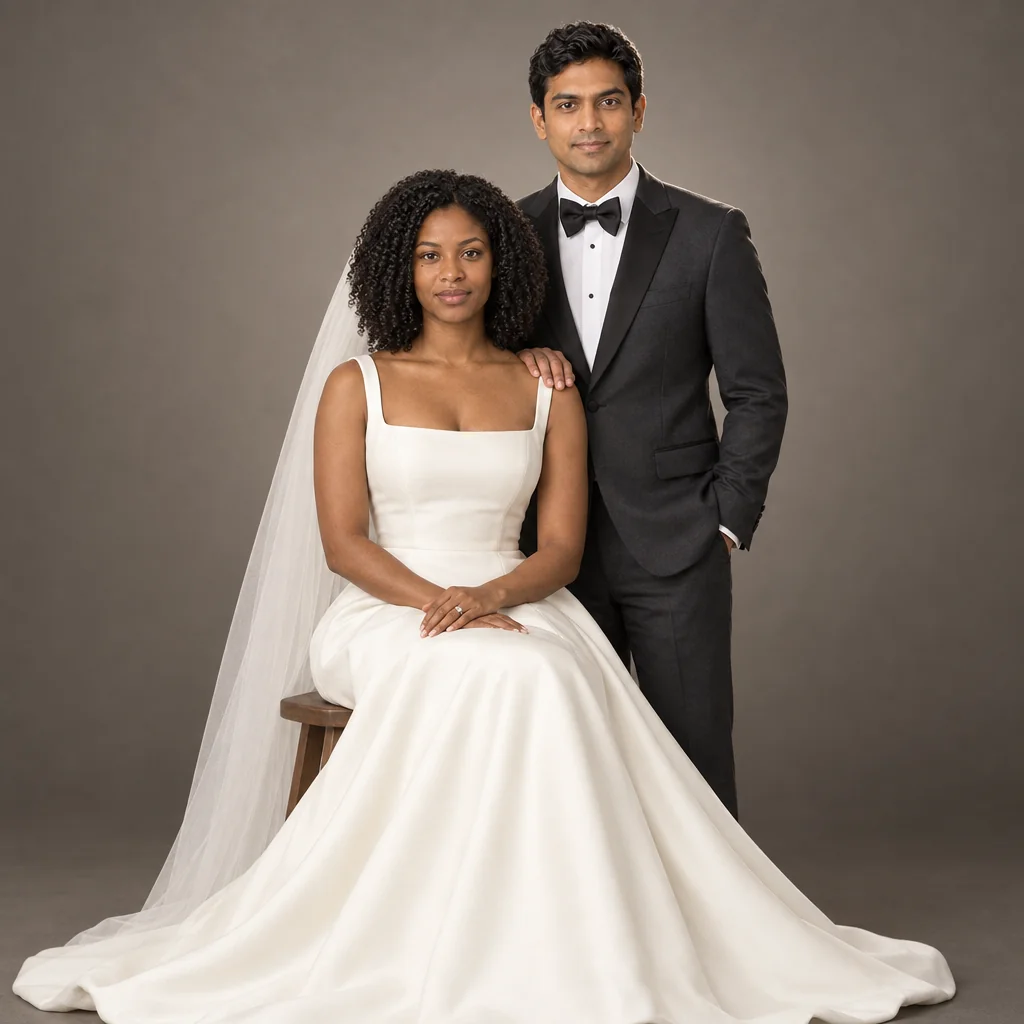
Make a formal studio bridal portrait of a couple using the first reference image for the bride and the second for the groom, preserving both identities exactly and keeping the two faces clearly separate. Wardrobe: the bride in a structured ivory gown with a clean shoulder line and a plain veil, the groom in a tailored charcoal tuxedo with a black bow tie; no lace, no patterns. Pose: the bride seated on a plain wooden stool, the gown fanning out on the floor, the groom standing behind her with one hand on her shoulder, both looking straight into the lens with calm expressions, both at the same head height relative to the camera. Set: a seamless warm grey studio backdrop with a gentle gradient, the floor slightly darker, one soft contact shadow under the gown. Lighting: a large octabox as the key from the upper left, a white bounce filling the shadow side, a subtle hair light from behind the right shoulder, no visible light source in frame. Palette: ivory, charcoal, warm grey. Camera: 85mm at the bride's eye level, sharp focus on both faces, fine grain, clean but not over-sharpened, print-ready quality, no HDR, no text, no watermark.
Negative prompt
soft focus, uneven lighting between the two faces, distorted hands, plastic skin, cluttered backdrop, HDR, text, watermarks
Reference only — the image models available here do not take a separate negative prompt, so this list is guidance for editing the prompt above.
Why this works: The studio setting, suited to images that need to be printed large (1:1 frame at 2K). If the two faces are lit unevenly, add 'both faces receive equal exposure'.
Eighties Wedding Album Frame
Ride the nostalgia trend by turning a modern bridal portrait into a yearbook-style album print.
GPT Image 2.5 Sunburstimage → image4:5 · 2K
Reference photos: Two portraits, or a single modern bridal photo on its own (in that case pass one image and leave the second empty); this setting is essentially a style transfer.
Restyle a modern bridal portrait into a 1985 wedding album photograph, using the first reference image for the bride and the second for the groom while keeping both identities recognisable and clearly separate. Era styling: the bride's hair in a voluminous brushed-out style with a full veil and puffed shoulders, satin gown with a high neckline; the groom's hair full at the sides, a wide-lapel pale grey tuxedo with a ruffled shirt. Pose: standing at the altar steps, holding hands, the bride's bouquet held at waist height with both hands mostly hidden by the flowers, both looking at the camera and sharing the same horizon line. Capture: direct on-camera flash mixed with available church light, slightly overexposed whites in the gown, warm magenta skin shift, visible film grain, mild halation around the veil, slightly soft focus typical of an album print. Setting: a church interior with a floral arch, pale pink and cream tones. Treatment: like a scanned album print with a faint border and one small crease line in the corner. No text, no logos, no modern elements.
Negative prompt
modern styling, digital sharpness, cool colour grade, HDR, merged faces, distorted bouquet, watermarks, text
Reference only — the image models available here do not take a separate negative prompt, so this list is guidance for editing the prompt above.
Why this works: The nostalgia setting, from the same trend wave as T001. For a stronger period feel, keep all three phrases: direct flash, overexposed whites in the gown and a warm magenta shift.
Text-Only Bridal Sample
The text-only sample setting and the cheapest one.
Seedream 5 Litetext → image3:2 · 2K
Seedream 5 Lite does not offer 3:2 1K — this runs at 3:2 2K.
A bridal portrait sample with a generic couple rather than a specific pair: the bride in a simple ivory satin gown with a clean v neckline and a fingertip veil, the groom in a dark navy suit with a plain white shirt and a narrow tie, both standing side by side in front of a tall stone arch with a wooden pew out of focus in the foreground. Pose: the bride turned three quarters toward the groom, the groom's hand resting lightly at her waist, both looking at the camera, both sharing the same horizon line and the same head height in the frame. Light: large soft daylight from the left with a gentle bounce from the stone wall on the right, soft shadow under the chin, no flash and no hard specular highlights. Palette: ivory, warm stone, deep navy, muted green from the glass. Camera: 85mm at chest height, shallow depth of field with both faces sharp, fine natural grain, photographic realism, no text, no logos, no watermark.
Why this works: It is a fallback for pages that have no photos of the couple yet; real users should use the first three entries (two image-to-image settings and the eighties setting).