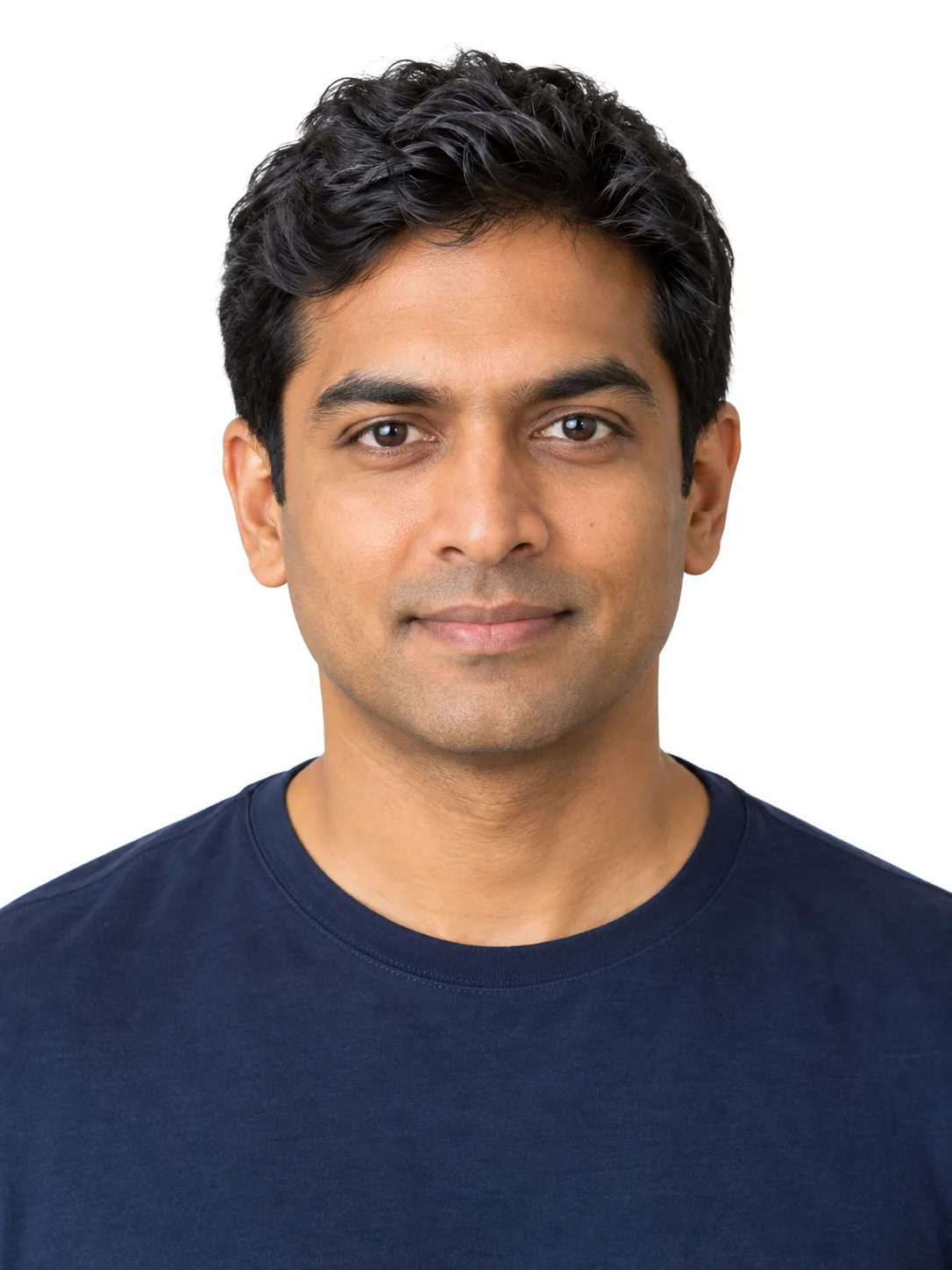
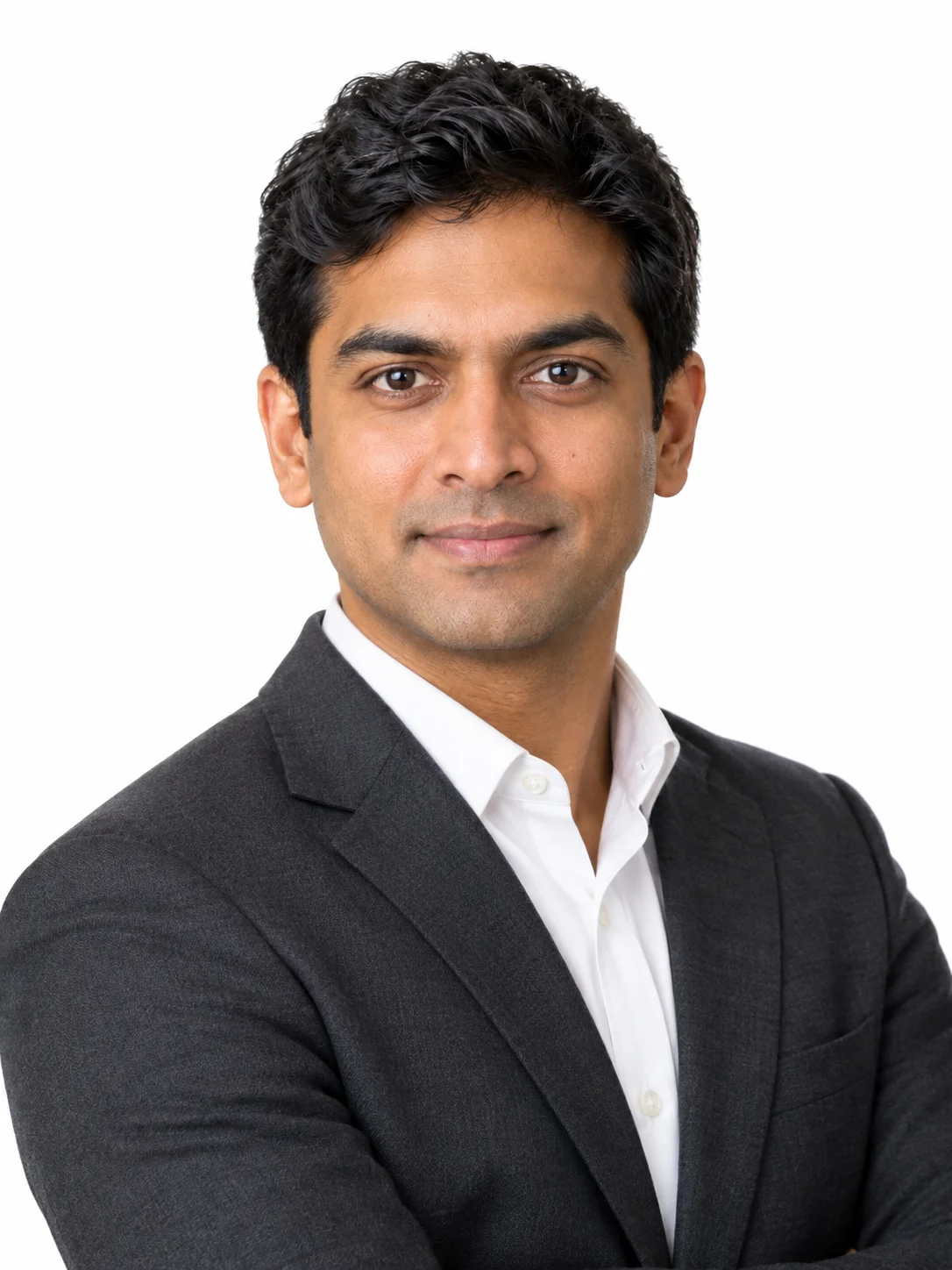
Each set is a complete prompt. Copy it, or open it in the studio with the model, aspect ratio and resolution it was written for.
Classic Grey Headshot
The standard approach, which works for any industry.
Nano Banana 2image → image1:1 · 2K
Reference photos: One front-facing portrait with even light and nothing blocking the face. It is cropped above the chest, and the shoulder line needs to be level.
Turn the reference photo into a professional corporate headshot. Keep the person's exact facial features, face shape, eye shape, skin tone and hairline; only lighting, wardrobe, background and finish change. Framing: head and shoulders, centred, chest cropped at the lower edge, shoulders square to the camera, slight angle of about five degrees to the left. Wardrobe: a dark navy blazer over a plain white shirt, no tie, no pocket square, nothing patterned, one thin watch band at most. Expression: a small natural smile with the eyes engaged, the lower eyelid slightly raised, eyebrows relaxed, gaze straight into the lens at eye level. Light: a large soft box slightly above eye level as the key from the left, a white bounce filling the shadow side, a subtle rim light separating the hair from the background, even exposure with no hard shadow under the nose. Skin: visible pores and natural texture retained, no smoothing, no beauty retouching, subtle catchlights in both eyes. Background: a soft mid-grey gradient backdrop with slight falloff toward the corners, no props and no logos. Camera: 85mm at eye level, shallow depth of field, sharp on the eyes, fine grain, photographic realism, no text, no watermark.
Negative prompt
smoothed plastic skin, dead eyes, hard shadow under the nose, cluttered background, patterned clothing, colourful lighting, HDR, watermark
Reference only — the image models available here do not take a separate negative prompt, so this list is guidance for editing the prompt above.
Why this works: The standard option and the most general one. If it looks like an ID photo, turn the shoulders about five degrees and add 'subtle rim light separating the hair'.
Executive Dark Portrait
For management and founders who need a stronger sense of authority.
GPT Image 2.5 Flareimage → image4:5 · 2K
Reference photos: One portrait. The dark option suits management, founders and consultants, with lighting that is more dramatic but not exaggerated.
Create an executive portrait of the person in the reference image: same exact facial features, face shape and skin tone, with a more authoritative light and setting. Framing: three-quarter length, arms crossed loosely at the chest so hands stay out of the frame, body turned about twenty degrees from the camera with the head squared back toward the lens. Wardrobe: a charcoal wool blazer, a plain white shirt with the top button open, no tie, no lapel pin, no patterns. Expression: calm and confident, a very slight smile, eyes engaged and looking straight into the lens. Light: a large soft key from the upper left at a steeper angle than a standard headshot, deep falloff into a dark background on the right, a narrow rim light along the jaw and shoulder, subtle fill so the eyes stay open and readable, no hard shadow lines on the face. Setting: a dark grey studio wall with a visible matte texture, a faint vertical shadow gradient, nothing else in frame. Skin: natural texture with visible pores, no smoothing, no plastic sheen. Camera: 85mm at chest level, sharp on the eyes, gentle contrast with deep but open blacks, fine grain, editorial finish, no text, no watermark.
Negative prompt
flat lighting, bright background, plastic skin, crossed arms with visible distorted hands, cluttered office props, HDR, watermark
Reference only — the image models available here do not take a separate negative prompt, so this list is guidance for editing the prompt above.
Why this works: The executive option. Keeping the hands out of frame is deliberate: crossed arms almost always break once the hands are visible, so show a hand resting on a chair back instead.
Office Context Two Thirds
For a bit of environmental context, which looks better on a team page.
Nano Banana 2image → image3:2 · 2K
Reference photos: One portrait. The office option suits team and website About pages, and the wide frame leaves generous empty space that is easy to lay out.
Place the person in the reference image in a modern office for a professional team-page portrait, keeping their exact facial features and skin tone. Framing: three-quarter length, positioned on the right third of the frame with generous empty space on the left for text, body angled slightly toward the camera, one hand resting on the edge of a desk. Wardrobe: a soft grey knit over a plain shirt collar, sleeves not rolled, no visible logos. Expression: relaxed and approachable, a natural smile with the eyes engaged, looking into the lens. Setting: a bright office interior with a large window on the left, a wooden desk edge with a closed notebook, one plant out of focus in the background, no visible screens and no branding. Light: soft daylight from the window on the left as the key, a white wall bounce on the right, even exposure on the face with no colour cast, gentle shadow under the jaw. Camera: 50mm at chest height, moderate depth of field so the office reads clearly but stays soft, natural grain, photographic realism, warm neutral grade, no text, no watermark.
Negative prompt
dark underexposed face, busy office clutter, visible brand logos, screens with gibberish, plastic skin, HDR, watermark
Reference only — the image models available here do not take a separate negative prompt, so this list is guidance for editing the prompt above.
Why this works: The environmental option. The empty space on the left is there for website layout; if the page needs a centred subject, change 'subject on the right third' to 'centred'.
Team Set Consistent Frame
Several people share one lighting and background description to produce a matching set.
Nano Banana Proimage → image1:1 · 2K
Reference photos: One portrait per person, generated one frame at a time. The value of this prompt is its fixed lighting and background description, which makes a page of headshots look like a set.
Produce one frame of a consistent team headshot series. Keep the exact facial features, face shape, skin tone and hairline of the person in the reference image. Framing: identical to every other frame in the series, head and shoulders centred, shoulders square, crop at mid chest, head occupying about two thirds of the frame height. Wardrobe: neutral tone knit or blazer over a plain shirt with no patterns and no visible logos; keep the palette within greys, navies and creams so the series looks unified. Expression: natural small smile, eyes engaged, gaze into the lens. Light: a single large soft box at eye level from the left with a white bounce on the right, even exposure, one consistent catchlight shape in both eyes, no colour gels. Background: the same soft light grey gradient backdrop with a subtle vignette in the corners. Camera: 85mm at eye level, shallow depth of field, identical framing height and subject distance as the rest of the series, sharp eyes, fine grain, photographic realism, no text, no watermark. The result must look like it came from one session with one camera and one lighting setup.
Negative prompt
different lighting between frames, varied head scale, patterned clothing, colourful background, plastic skin, props, watermark
Reference only — the image models available here do not take a separate negative prompt, so this list is guidance for editing the prompt above.
Why this works: The team option. For a genuinely consistent set, generate each frame with the same prompt and change only the reference image; do not change the aspect ratio or the light position along the way.
Text-Only Headshot Sample
The text-only sample option, the cheapest one.
Seedream 5 Litetext → image1:1 · 2K
Seedream 5 Lite does not offer 1:1 1K — this runs at 1:1 2K.
A professional corporate headshot of a generic adult: head and shoulders centred, chest cropped at the lower edge, shoulders square to the camera and turned about five degrees to the left, wearing a dark navy blazer over a plain white shirt with no tie and no patterns. Expression: a small natural smile with the eyes engaged, eyebrows relaxed, gaze straight into the lens at eye level. Light: a large soft box slightly above eye level from the left with a white bounce filling the shadow side, a subtle rim light separating the hair from the background, even exposure with no hard shadow under the nose and one consistent catchlight shape in both eyes. Skin: visible pores and natural texture retained, no smoothing and no beauty retouching. Background: a soft mid-grey gradient with slight falloff toward the corners and no props. Camera: 85mm at eye level, shallow depth of field, sharp on the eyes, fine grain, photographic realism, no text and no watermark.
Why this works: It covers pages that have no portrait material yet; the lighting and background sentences are reused directly from the standard option so the sample matches real results.